

Follow These 4 Steps to Ensure Your Next Website Project Kicks Off Right
When your member-driven organization needs a new website, searching for a design and development partner feels like the hardest part. Finding an agency with the qualifications and capacity to meet your schedule takes time and research. However, once you’ve hired the right team, the rest is just a matter of sitting back and waiting for your new website to launch and work as it should.
Not so fast.
Successful websites can’t simply be ordered up and delivered like an Amazon package. Redesigns cost more than money. If you want a site that makes a real difference for your organization, you have to invest your time as well. Dedicating time to your project before it officially kicks off ensures your organization receives the full value of its investment.
You’ll see the best results when both sides of a website project are active participants. Get your collaboration started right by following these steps:
1. Set Aside Expectations and Look Past Prior Website Project History
Website development should start by taking a holistic view of your website’s audience, your organization’s goals, and its messaging strategy. A collaborative examination of those details allows your agency to push past status quo solutions and discover the right approach for your website.
Coming into a website project with rigid, preconceived ideas about what your site requires limits how well your project addresses your organization’s needs. Similarly, if you’ve had a bad experience during a prior website design, you should discuss the details behind that project with your new agency.
What derailed your previous website’s success? Was it internal? Was it external? What was most painful about the process for your team? The right agency will help you identify those roadblocks and come up with tactics to prevent the same issues from occurring.
2. Build a Dream Team of Internal Stakeholders
As head of a marketing or communications team, the website may fall under your jurisdiction. But you can’t manage a website project alone. You need a small but mighty group of 3 to 5 people on your side who will support this project as a key priority from start to finish.
However, you shouldn’t attempt to recruit every stakeholder in your organization. For example, your CEO may be invested in a new website, but a busy schedule may hamper their availability. But involving all stakeholders in your organization in the day-to-day of the project may shift focus toward concerns related to their roles instead of solving problems for your end users.
Instead, someone from your team can keep all your stakeholders informed as your website design progresses. Keeping everyone in the loop helps prevent the project from being derailed by last-minute changes by allowing key stakeholders to provide feedback throughout the process.
Ultimately, this dream team should have the ownership on approving deliverables and other milestone decisions to ensure the project moves forward. Therefore, thoughtfully curating this team is critical, and each should be experienced with your current website.
The most important member of your team is the liaison between your organization and the agency. They will be responsible for coordinating meetings and collecting internal feedback. Ideally the liaison would have support on the team from a project coordinator. This person will oversee details such as collecting images, website copy, and other deliverables to satisfy content deadlines.
3. Be Realistic About Timelines to Protect Your Project Launch Date
Every website project lives or dies based on how well it follows an established timeline. The agency you hire is obligated to deliver your website by a certain date. But your team is just as responsible for ensuring it will be available to attend meetings, provide deliverables, feedback, and approvals, so your project stays on track.
Given the value of your organization’s website, you may be in an understandable rush to relaunch with a new, more functional design. But you have to be realistic about your team’s availability as well as the impact of their other responsibilities.
Before your website project starts, you should carefully review the timeline and honestly share any concerns. Be sure to factor in the availability of your project team and internal stakeholders to ensure your new website remains on track.
For example, someone on your team may have a two-week vacation planned. Or, the deadline you set for all website content to be delivered coincides with your organization’s annual convention. Whatever big events, holidays, or busy periods lie ahead, those need to be factored into your timeline to protect your launch date.
As your organization’s point person, you are responsible for setting up the foundation to keep your team on schedule. For example, you can set up all internal review meetings at the onset of the project so you can ensure availability of your team for all review points throughout the project. The right agency partner will do their part stay on track, but they can only do so much without your help.

4. Do Your Homework Before Any Redesign Work Begins
As a marketer, you know your organization’s website needs improvement. But how well do you really understand the full breadth of its condition?
You don’t have to diagnose your site’s needs — your agency partner will help you with that. But you should take the time to inventory all of your content and understand its purpose, accuracy, and context.
Maybe your organization’s last redesign was five years ago, or it took place before you were hired. But in either case, large websites often have legacy features that no longer apply to the organization’s current goals. Or, worse yet, function in a way no one understands.
Before you and your agency start rebuilding your site, you should ensure all those mysteries are solved. For example, contact your IT team to explain third-party tools or software tied to your current site and understand how they’re utilized.
Plus, you should meet with stakeholders to discuss new features on your organization’s wish list. Websites are challenging enough to develop without your team overextending its timeline and budget to create unnecessary features. But be sure to set expectations ahead of time that all new features will need to be in service of the website goals.
Before any functionality is built or designed, you and your agency partner should understand its purpose and the need it will resolve. By thoroughly understanding your organization’s problems, you and your agency can work together to design the right solution.
Why Your Association Can’t Overlook Email
Email is far from a fresh idea in communications, which may be why it’s often overlooked. A few years ago, industry watchers were ready to declare the communication channel dead as new messaging platforms arrived.
Now, the explosion of agencies that specialize in email strategy testify to its ongoing value. But in addition to considering what information your organization needs to send and how often, you need to also think about your emails from a design perspective.
An association with decades of history could spend thousands of dollars to create a modern website to present an up-to-date reflection of its identity. But their email communications remain stuck firmly in the past. Instead of driving traffic to your website, your email gets lost in the noise of each member’s inbox.
Any brand ecosystem needs to deliver a cohesive experience to be effective. Email provides an opportunity to create literal links between your members and your website. With the right approach to design, you can ensure your organization is making the most of those connections.
Email Offers Targeted Outreach to Rival Social and Traditional Media
Email doesn’t have the same buzzworthy appeal as social media platforms like LinkedIn, Instagram, or Tiktok. With millions of potential viewers, each channel offers the tantalizing prospect of your message going viral with the right mix of keywords and timing.
But realistically, social media requires time, effort, and energy to make a dent with the audience you need. You need to dedicate resources to monitor each channel, and it’s increasingly difficult to gain traction within the algorithm without a large budget. Much like traditional media, the return on investment can be uneven depending on the campaign and your audience.
Email by contrast is much more targeted. Members and prospective members have confirmed their interest by opting in to receive your information. Your organization can’t waste a valuable opportunity to deliver targeted messages to the audience it needs most.
3 Best Practices for More Impactful Emails
The visual experience of your email needs to be consistent with the rest of your brand. Even if you follow general email best practices for how the copy appears in each message, you need to ask whether your message conforms to the same rules as your website, your printed collateral, and any other touchpoints with your brand.
Are your emails curated to deliver valuable insights to current and prospective members? Do the visuals consistently reflect your brand identity? Is the tone aligned with the rest of your content? Are they adding to the rich narrative of your brand? The more cohesive an experience your organization delivers, the more likely your message is to stand out amid a cluttered inbox.
To underscore their value, your emails should meet the following 3 best practices:
1. Adhere to Brand Guidelines
Every email you send should reinforce your organization’s brand. The copy should reflect the same voice and tone used by your organization and visual elements should be consistent with your brand identity.
2. Be Focused with Your Content
Emails should be simple, direct, and relevant to the recipient’s interests. Your members will lose interest and unsubscribe if your message is cluttered with too much content, not relevant to their needs, or filled with ads.
Your distribution list targets an audience who is interested in your association. But you’re competing with each personal and marketing email they receive every day. Concise, targeted, and timely communication will allow your message to cut through the noise.
3. Encourage (and Monitor) Action from Readers
Emails are a powerful platform to deliver updates to your members, but it’s not the place to tell the full story. Emails need an image, a headline, and a brief teaser describing the content you’re promoting — and that’s all. If your members are interested, they will click the link to your site and find out more.
Emails are a powerful tool to drive visitors to your site, but they also inform your content strategy. You have to ensure your organization tracks user behavior on your site and in your emails to determine what is attracting readers. Once you know your audience’s interests, you can adjust your strategy to keep providing relevant content.
Emails Create Excitement for Your Organization’s Programs
Email provides a key point of contact between your association and its members at times when your information is most vital. For example, associations rely on successful annual events to engage members and encourage retention. Elevated event branding is an extension of your brand identity and email provides an effective way to promote your organization’s events to the right audience.
The most successful email programs deliver on the brand promise of the program and empathize with your members at each stage of their journey. For example, when communicating around an event:
- Advance emails (Save the Date, Invitations, Announcements) need to reflect the tone of the event and ramp up member excitement.
- During the event, provide support and value with a segmented attendee email with that day’s agenda and details.
- Don’t forget people who did not attend the event. Share emails outlining highlights and event photos to generate FOMO, driving attendance for the next event.
- Last but never least, collect feedback with an email survey of attendees to inform your strategy going forward.
In each case, emails allow you to showcase the value of your organization as well as its activities. But you can only demonstrate those details with the benefit of thoughtful design.
Clear, concise emails that express a strong visual connection to who you are as an organization underscore that your emails — and your subscribers’ time — are valuable. Don’t allow these critical points of connection to deliver anything less than a positive impression to your members.
How a Custom WordPress Site Gives Your Association Superpowers
Today, the bulk of what you see on the Internet runs on WordPress. Over 40% of all websites are built on the platform, and 65% of all websites that run on a CMS use WordPress to support their digital publishing. As you consider what your association website needs to be successful, WordPress casts a long shadow over every other option.
Frankly, there’s a reason for that. WordPress is a powerful and flexible platform that supports an array of custom plugins and third-party integrations. When utilized properly, WordPress allows organizations like yours to implement whatever website functionality your members need.
By working with the dominant open source CMS in the marketplace, you can be assured that future needs ranging from software updates to development resources are easy to procure. Plus, when you take the extra steps to customize the backend interface, you can ensure your site editors will publish timely updates with a streamlined experience that protects your brand.
With the help of the right digital agency, your WordPress site will empower both your association and your members right now — and far into the future.

5 Advantages of a WordPress Association Website
1. WordPress is Expandable and Flexible
With a proprietary CMS, you’re at the mercy of the product’s parent company to introduce improvements or respond to security or feature requests. The popularity of WordPress has led to a large community of developers which means improvements and new functionality is released more regularly. And with complete access to the source code, you’re able to expand its functionality as you see fit with virtually no limits.
2. Editing in WordPress is a User-Friendly Experience
Out of the box, the WordPress admin interface is easy to navigate. Content editing is intuitive, and the platform allows you to preview your changes before publication. For the most part, the editing interface follows norms from word processing software, which allows more people on your team to learn to manage your site with a lower barrier to entry.
Already designed to eliminate the need for your site editors to understand code, the WordPress CMS grew more simplified in 2018 with the block editor, known as Gutenberg. The block editor allows your teams to easily edit and rearrange custom elements on any page. Page layout changes that once required technical expertise can be done with a click, while protecting the integrity of your brand.
When you work with an agency like ours, we customize the interface to suit your needs even further. When your teams need to make changes, they see only the editing tools and functionality they need — and none of what they don’t.
3. WordPress is Powered by an Active Open Source Community
WordPress is an open source platform, which means developers can access the platform’s source code to expand its capabilities. Just as importantly, your organization also benefits from an active community keeping the platform up-to-date.
WordPress is so ubiquitous, it benefits from a huge population of developers working to resolve bugs or create new features and plugins. The platform also has a dedicated security team of developers and researchers working to discover and resolve any detected vulnerabilities.
When you use a proprietary CMS, your organization is at the mercy of the parent company’s development schedule for new feature releases. By contrast, the WordPress community ensures the platform remains in a state of constant improvement. On average, WordPress releases two new updates per month. And with an open source platform, you have complete access to the source code, so you can create any custom features you need.
4. WordPress is Scalable
WordPress is flexible enough to handle sites ranging from small businesses to corporate giants. The core technologies within WordPress have been proven over time, which means your developers don’t need to reinvent the wheel when it comes time to setting up the server infrastructure. However far-reaching your organization’s goals may be, WordPress will be able to take your site there.
5. WordPress is SEO-Friendly
When you’re managing large amounts of content for your organization’s site, you need a platform that integrates SEO from the beginning. If your site isn’t visible to search engines, it’s effectively invisible to your new and prospective members. WordPress incorporates best practices that are ranked highly by search engine algorithms. Plus, WordPress supports plugin tools like Yoast that ensure your content conforms with requirements to boost search engine rankings.
WordPress Integrations Connect Your Association’s Website with Vital Tools
WordPress is flexible enough to be customized to support whatever design and functionality your association website needs. That flexibility is best reflected with how well WordPress integrates with third-party platforms to expand your site’s capabilities with external data or functionality.
Of all of the advantages WordPress offers, one of the greatest stems from its overall popularity. Whenever a software service provider creates an application, it’s always in their best interest to provide a plugin that integrates their system with WordPress because it connects them to millions of potential customers. Same can’t be said for less popular platforms, as you’ll have to either wait and hope for someone to build an integration that you can license, or spend lots of time and money yourself creating the integration.
And when an integration doesn’t already exist, WordPress allows us to create custom integrations for you with most modern systems and data sources. Whether you work with a tool like MemberSuite, here are just a few examples of how WordPress integrations create a richer website experience for members:
- Event calendar and management: Use an API integration to pull your organization’s events from an AMS into WordPress to create a centralized and user-friendly calendar.
- Directory management: Draw member information from your AMS to create an interactive directory searchable by location or other details. If you need to display information for specific committees, we can design your site to display those too.
- Member management: Remove the need for multiple login points and create a single-sign-on integration with your AMS to give different levels of access to your website to staff, members, committees and even the board.
WordPress is so extendable that your site can sync with multiple data sources to further build community and increase engagement among your members. You just need to work with the right partner to bring all the pieces together.
How to Customize WordPress to Suit Your Association’s Needs
WordPress is the dominant website platform. But not all WordPress sites are created equal. You need a website that’s consistent with your brand, cohesive with the rest of your organization, and simple enough to manage that your team can easily edit and publish new content.
Due to its popularity, you can find a countless number of low cost and off-the-shelf themes and templates that may appear to suit your needs. But these templates are built as broadly as possible to serve the needs of as many organizations as possible. That comes with many disadvantages. You’ll never find a theme that’s designed to solve your specific challenges, communicate effectively with your unique audiences, or one that sets you apart from your competition. In addition, it will include hundreds of features your organization will never use. These elements will leave you with a site that’s more confusing to edit and manage, and unnecessary bloat that can slow site performance and drag down search engine rankings.
WordPress offers a variety of ways to create a website customized for your organization, but you need to start from the ground up. When you work with Position, you can be assured that your site will be finely-tuned to accommodate what you need, no more — and no less.
Our approach to WordPress design and development delivers two benefits to your organization:
Protect Your Brand and Your Investment
Your brand communicates your organization’s mission, values, and vision, and builds trust and loyalty from your members.
An off-the-shelf template can be your brand’s worst enemy by being too flexible. It may empower your teams to build whatever they want, but the end results are detrimental to your organization. As you have multiple people working on your site, your organization soon has multiple pages designed to suit numerous needs and standards. All too quickly, your new website will degrade into a state worse than before.
A site that degrades over time isn’t just a bad investment; it creates an overall negative impact on your organization’s brand.
On the other hand, a custom WordPress site built in accordance with your brand, goals, and best practices, leaves your organization better positioned for the future. At Position, we build sites that create a separation between design, functionality, and content, which protects your brand while giving your team just the right amount of flexibility to edit and manage your content.
Empower Teams with an Intuitive Editing Experience
At Position, we build systems that are designed to make your life easier. A customized, ground-up approach to your organization’s site doesn’t just create an admin interface for site editors that’s intuitive and easy-to-manage. It also will provide guardrails that protect your site’s design, aesthetic, and performance in the long run.
Your organization moves at the speed of light, and you need a site that enables your team to be responsive to your needs. When you need a last-minute landing page to support an upcoming event, your teams will be empowered to create what you need without having to reach out to anyone for help.
When you need a new website, the end results are simply too valuable not to protect. When you’re working with the right agency, those protections will already be in place.
Don’t Let Your Site Be a Jack-of-all-Trades and Master of None
You need a website that perfectly serves the specific needs of your association and your members (and next generation of members). And you don’t have to figure it out on your own.
Let’s talk about building a custom WordPress website that makes an impact — now and for years to come.
How Event Branding Boosts Attendance, Sponsorship Dollars — and Your Organization’s Profile
As you approach the deadlines for your organization’s annual event, the pressure only grows. After all, no matter whether you’re set to stage a gala, fundraiser, or convention for members, the gathering provides a crucial connection with your most valuable audience.
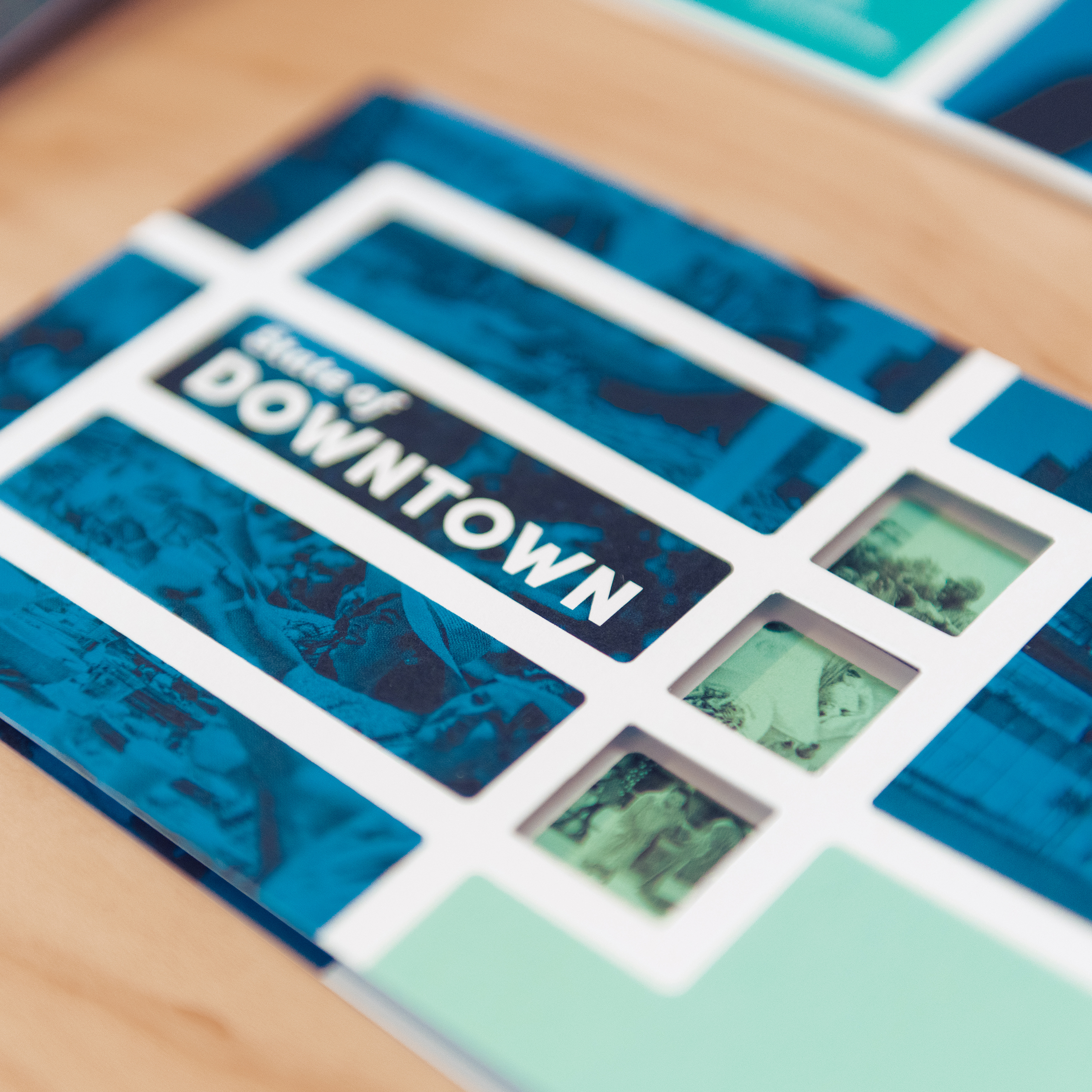
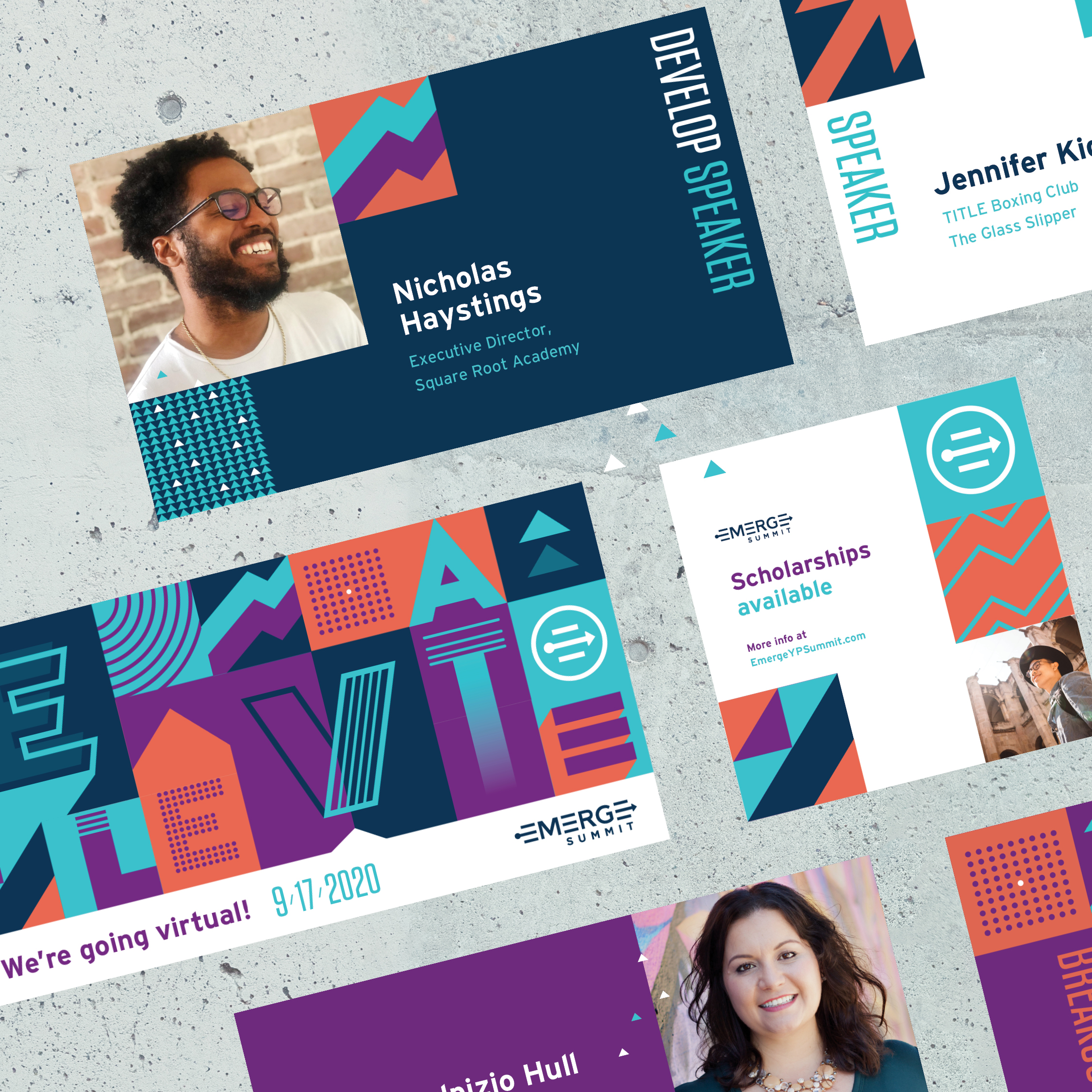
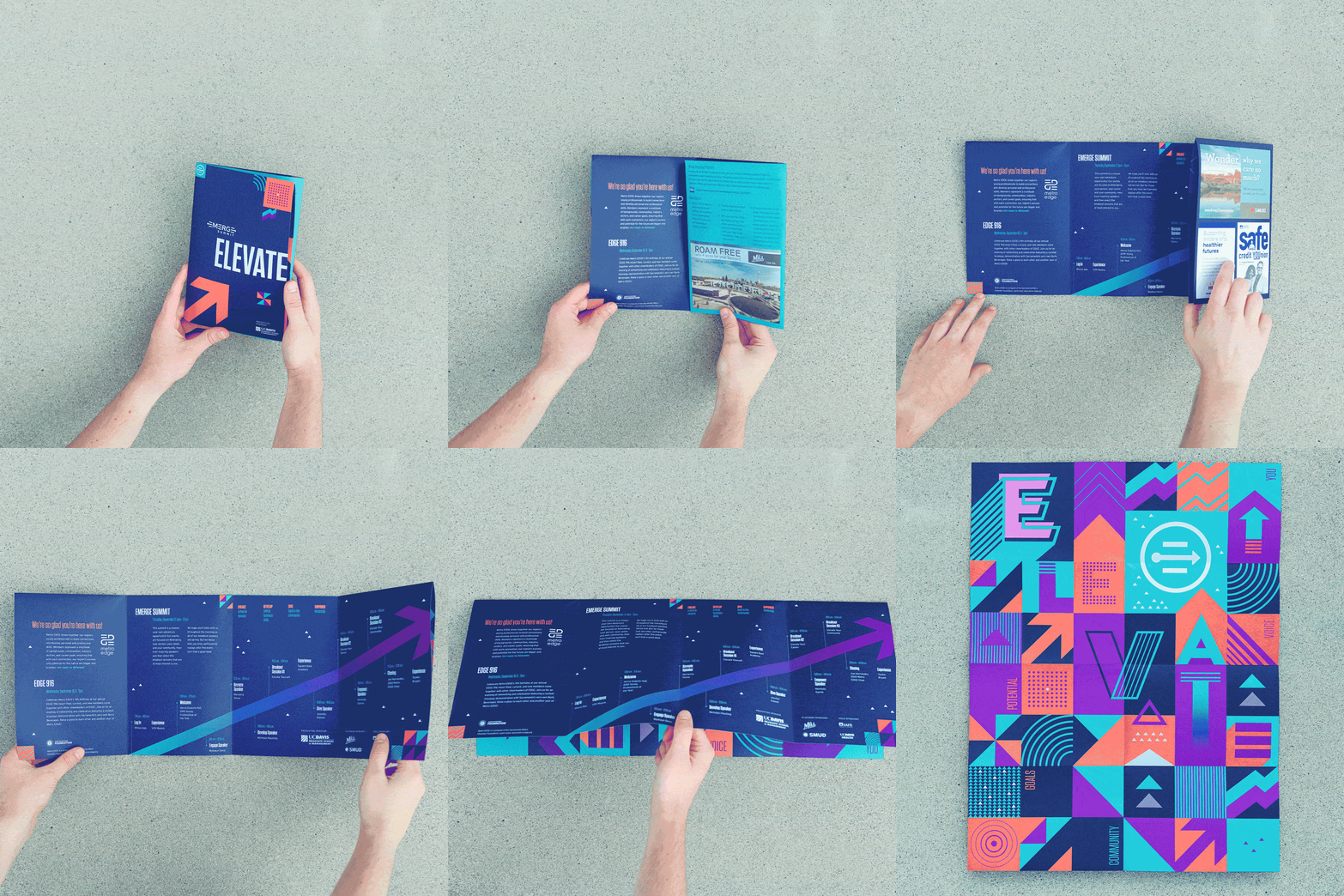
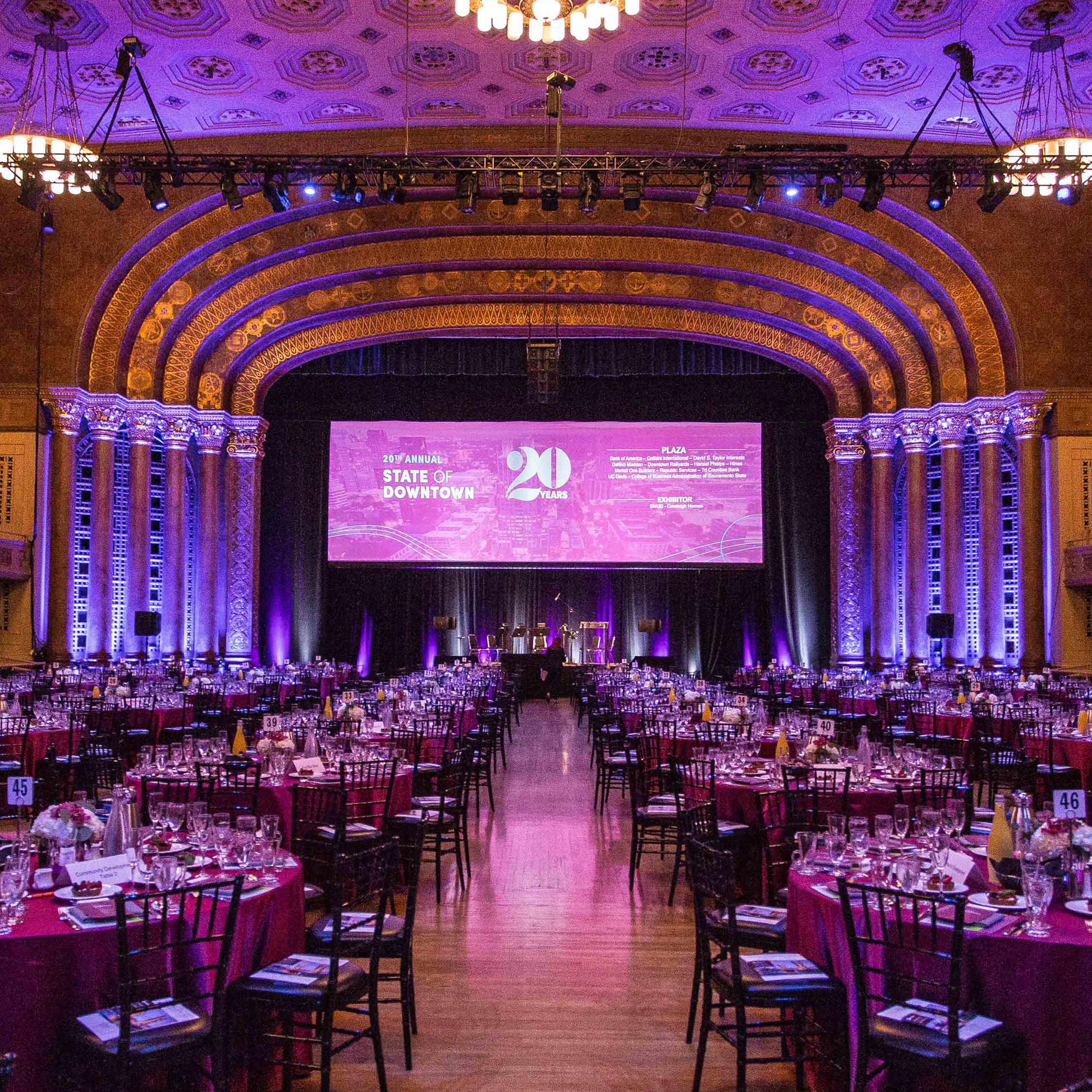
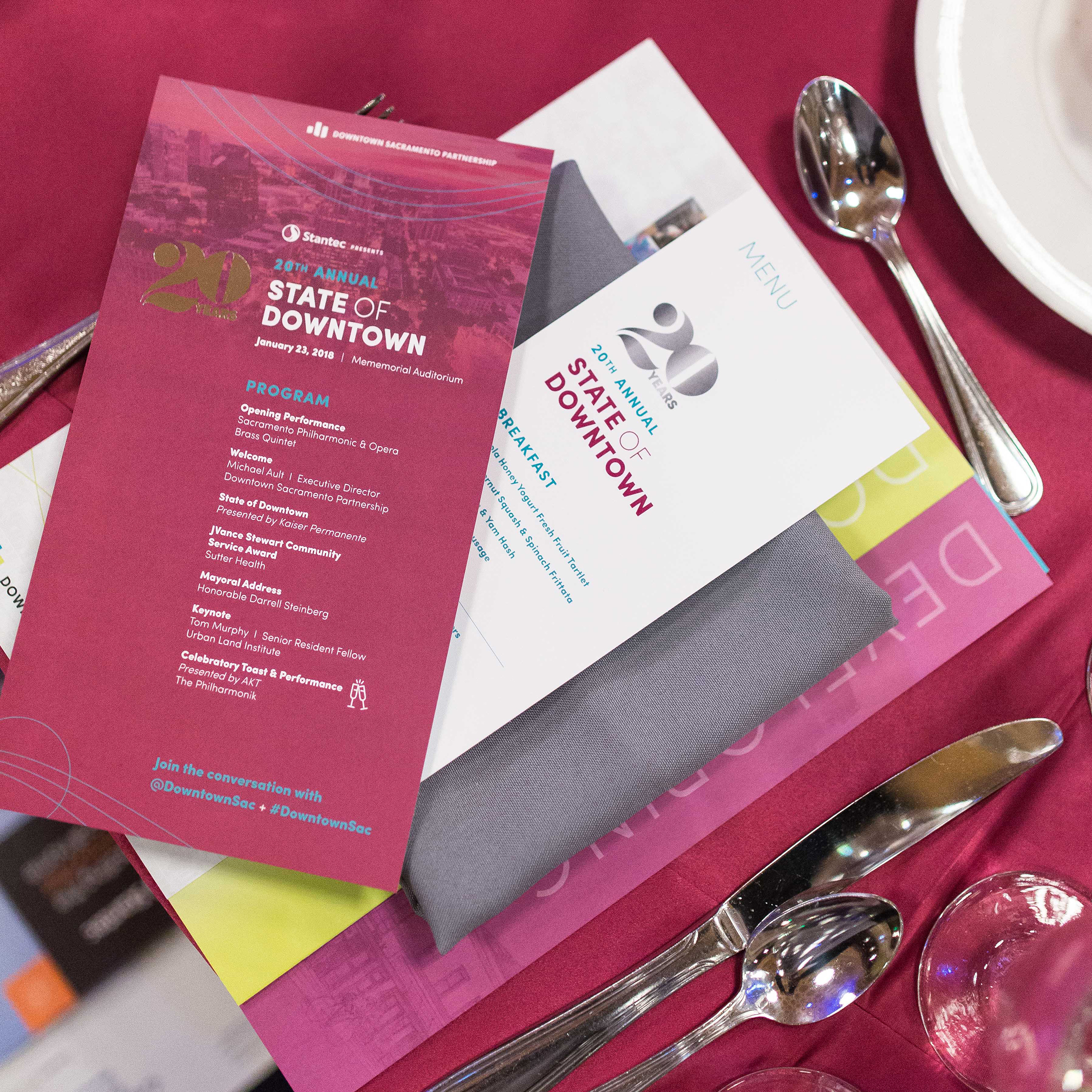
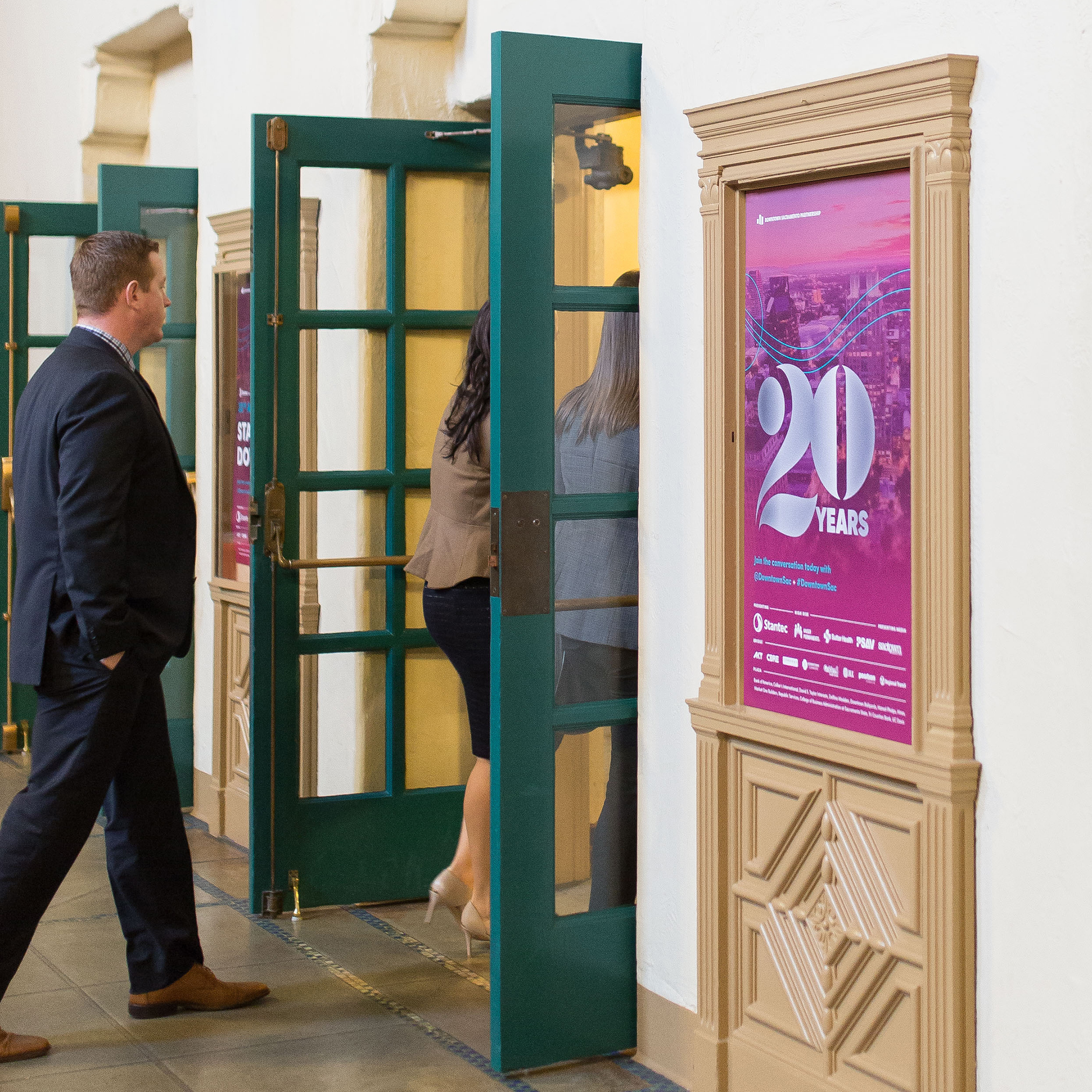
If you host events for your members, you know attendance and sponsorship numbers from those events have a significant effect on your bottom line. Each event presents an opportunity to energize or even expand membership and increase revenue. To unlock your event’s real potential, you need to incorporate clear, consistent branding and an elevated design.
Events present a chance to create a physical extension of who you are as a brand. When executed properly, event branding delivers an experience that engages members while elevating the value and perception of your organization.
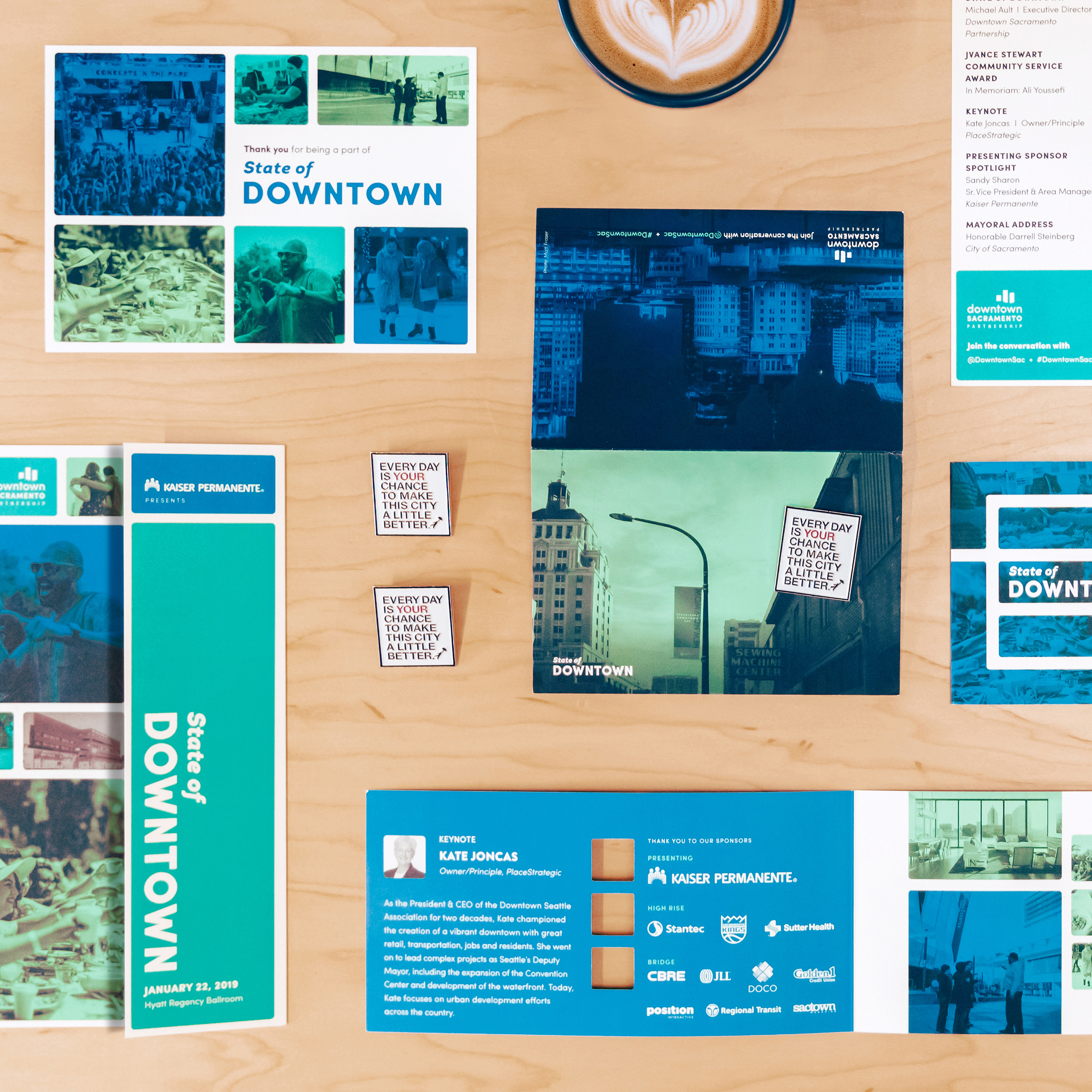
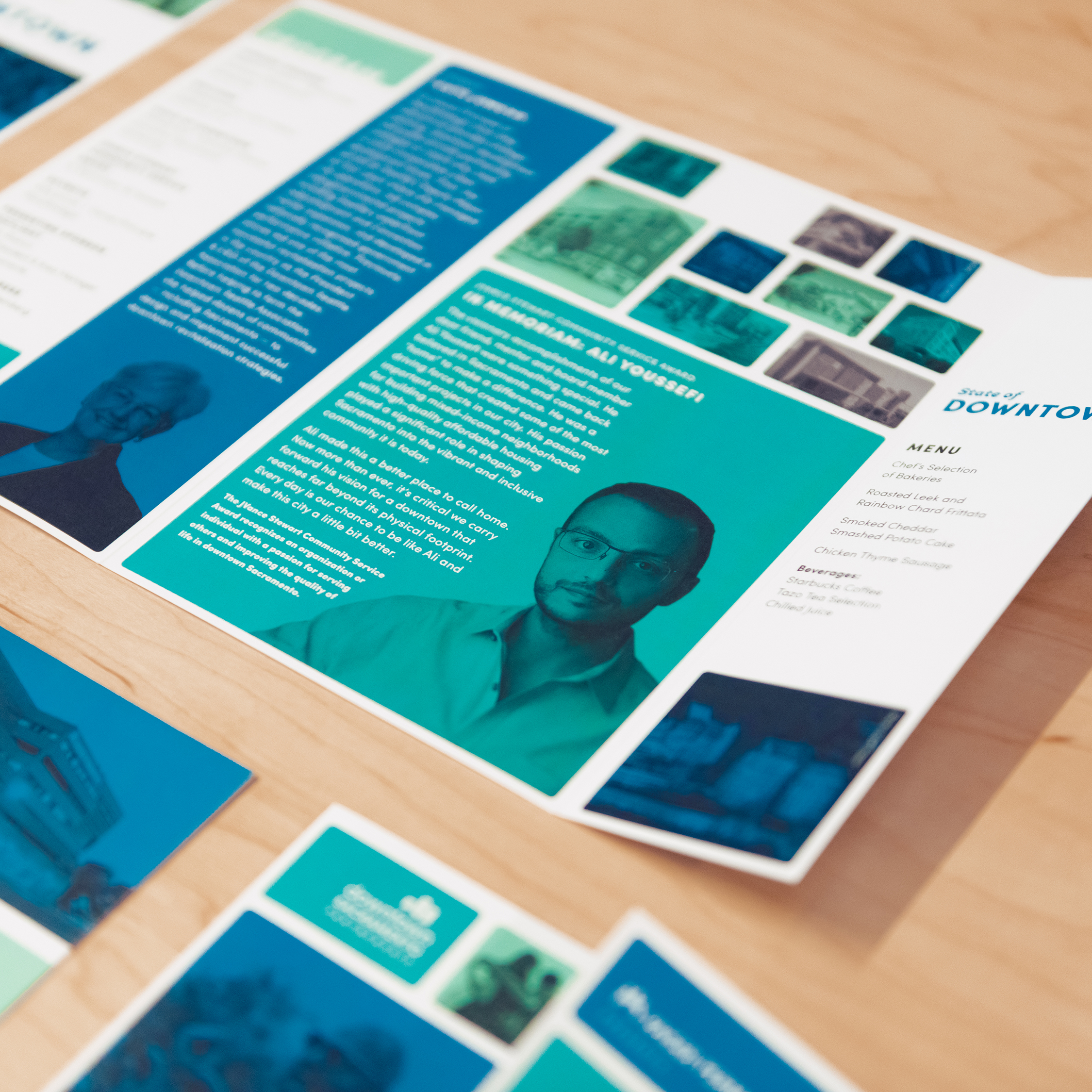

What Do We Mean by Elevated Event Branding and Design?
Branding your event requires more than a color scheme and clever theme. Any association can create collateral pulled from a few standard design templates and hope for the best. But how do you take an event to the next level?
Put simply: you create an event experience that’s smart and elevated. When we say smart, what we mean is that your event’s design is inspired by strategic decisions rather than arbitrary preferences. Each detail and design element you choose to incorporate into your event should be there because it reinforces the goals of your organization.
However, an elevated event experience doesn’t only communicate all the right things to embody your brand’s position. It can also inspire your members with a cohesive visual presentation and create a positive connection with your brand.
Think of what happens when you dine at a high-end restaurant. From the moment you check in with the host all the way up through dessert, your experience has been curated to communicate a message about where you are. Your event should provide the same elevated, consistent experience for your members.
Successful Events Rely on a Unified Purpose and Vision
From the earliest stages of marketing to the moment members leave the venue, the most successful events deliver an experience consistent with their brand. They are planned around a distinct set of goals. Every element of the event reflects a unified narrative and central purpose that serves the organization.
For example, if one of the goals of your event is to encourage renewals, then a well-branded event provides an opportunity to boost enthusiasm for members. If they feel energized and engaged by an event that’s elevated, cohesive, and exceeds expectations, they’re more likely to attend more events. And event attendance is a key element of member retention.
Any event is a two-part experience: The pre-event marketing and the in-person experience. Months beforehand, your communications should set the tone by providing a consistent journey from the save-the-date announcement through ongoing marketing. At the event each interaction with your members is a moment that adds to or detracts from the overall experience.
A successfully branded event comes down to bringing three elements into alignment:
- Quality of production: Is everyone on the team, from AV to the event planner, working together to maximize the attendee experience around the same goals? In our experience, collaboration and synergy can quickly take an event from good to great.
- Quality of content: Is your program and its messaging consistent with the event’s purpose and your organization’s goals? Relevant and valuable content is the backbone of a successful event.
- The marketing and visual experience: Is every visual element leading up to and during your event communicating a clear message that’s right for your brand? Up until they walk in the door, this is all attendees and sponsors have to judge your event by.
At Position, we align each of the elements above by collaborating with your team and event planners to ensure all aspects of your conference or gala reinforce your brand’s story. By shaping all the details into a cohesive whole, your organization delivers a more engaging experience for the audience who matters most.
Successful Event Branding Is an Extension of Your Organization
Organizations like yours host events for a number of reasons. Bringing your members together can provide real educational or inspirational value, convert attendees to members, and increase revenue through additional sponsorship. With the help of the right partners, your events can become game-changing assets for your organization.
When Associated General Contractors of California wanted to breathe new life into their organization and events, we helped them evolve their 100 year old brand and reimagine their industry conference. With AGC’s new strategic branding in place for its events, the organization increased attendance for CONSTRUCT 2021 by 31% and sponsorships for their Gala by 300%.
Your ability to deliver an experience that serves your organization’s goals is a complicated, high-stakes undertaking. You shouldn’t have to navigate all the details on your own.
How to Know Your Event Needs a More Thoughtful Approach to Branding
A conference that acts as an extension of your brand reinforces the value of belonging to your organization. The equity you gain from a successful event constitutes something of a loop.
The more engaging experience your members have, the more likely they are to attend the following year and renew their membership. As member attendance and engagement grows, so do sponsorship dollars.
Your event branding should add to the overall perception of your brand among your members and in the marketplace. But knowing whether the time is right to take your event to the next level depends on your organization. If attendance has been lagging, sponsorships have been flat, or you want to unlock untapped potential, it’s time to create a more engaging experience that’s aligned with your brand. If you’re ready to create a flagship event for your organization, we should talk.
5 Foundational Elements of a Successful Member-Focused Website
Chances are that prospective members will first meet your association through your website and your existing members use it as a primary touchpoint. And their interaction with your site will influence whether or not they choose to pursue or renew membership. Therefore, when you start a website project, you’ll want to ensure that you’ve done all you can to guarantee its success.
Your website is your digital front door and one of your most important investments. It’s got to look, feel, and function in a way that helps attract and engage members over time. In short, your website has a big responsibility for which it cannot afford to fail.
While a website project is not easy, its foundational elements are straightforward. When working in concert, these five elements can result in a website that’s relevant, useful, and engaging to members — present and future.
1. UX: A Strategic Approach
User experience (UX) encompasses all the ways in which users interact with your website. Its goal is to make user interactions as easy, satisfying, and useful as possible.
Good UX is based on your answers to three seemingly-simple questions:
- Why does our organization exist? Your association’s mission should be your north star, guiding every decision you make.
- Who are we here to serve? Your association can’t be (nor should it try to be) all things to all people. The more specific you can be in defining your audience, the better. Lean into data and analytics to help you understand exactly who your current site users are. You’ll also need to determine who you’d like your future users to be.
- What must our website do to help users succeed? Your users’ needs and goals should inform all UX design. Mapping out their journeys will help you visualize their interactions at various touchpoints and qualitative or quantitative research can help validate your assumptions.
These answers provide valuable information you can use to inform site architecture, site map, wireframes, design, development approach, maintenance plans — basically every corner of your website.
2. UI: Designed For Members
User interface (UI) refers to your website’s visual and interaction design. Once you’ve developed a strategic approach based on your members’ needs, you should design accordingly. An off-the-shelf template designed to meet the needs of any generic association simply won’t do.
Your association should already have a strong brand system designed to communicate your story and appeal directly to your audiences. If not, stop. Go no further. Engage a branding partner who can work with you to create a comprehensive, cohesive, and flexible system.
When you have a strong brand system, leverage the design tools in your brand guidelines to tell your story, craft a distinct digital presence and bring the user experience to life
Good visual design is no longer a luxury. The next generation of members are digitally discerning and expect a seamless, impactful, and inspiring website. If you want members to trust you to represent their industry or cause, you need to reinforce that trust with excellent design. Good design takes your website from a necessary tool to a high functioning asset that enhances the member experience and amplifies the efforts of every department.
3. Accessibility: Standards Met or Exceeded
Accessibility — making your site usable by people with disabilities — should be top of mind from the beginning of your website project. People with auditory, cognitive, neurological, physical, visual, and speech disabilities require specific considerations and adaptations.
Every strategic, content, design, and development decision contributes to the final usability and accessibility of the website. You’ll need to meet the Web Content Accessibility Guidelines (WCAG) 2 requirements as you make these decisions. The level of accessibility (A, AA, and AAA) you meet is up to you — but greater conformance results in more use by more people.
Neglecting or de-prioritizing accessibility concerns will alienate your members with accessibility needs and open up your organization to costly legal suits.
Don’t forget: another facet of accessibility is ensuring your website is mobile responsive. Your members visit your site on different devices, primarily their mobile phones. Your site should be optimized for your members to be able to interact, consume resources, and engage with your organization regardless of what device they’re on.
4. Integration: Seamless Connections With External Systems and Data
Integration is your website’s ability to communicate well with external systems and data sources. When done well, the integration is both strategic and seamless (without interruptions).
However, poor integration can quickly lead to user frustration. For example, a user might enter through the main association website to view the list of upcoming events. As soon as they’re ready to sign up, that member may be taken to an external website (typically the association management system) to register for the event. This external website will often look very different from the main website, which may have that member wondering if they’ve gotten lost.
Another example of poor site integration: mismatched committee information. A PDF or a static page on your website may not have the up-to-date committee list from your association management system. Outdated information makes your organization look unprofessional, eroding trust and relevance. A better integration would automatically sync the committee information data from the association management system to the website and display it in a user-friendly presentation.
5. CMS: Flexible and Easy to Manage
The content management system (CMS) allows you to create, edit, and publish content to your site. A good CMS is flexible and customized to your association; its functionality should help you optimize your members’ digital experience.
Your CMS should anticipate and address your future needs. What if you have a new annual event? Are you able to build a robust landing page for it? What if you need to fight a certain piece of legislation? Can you build a page that will provide timely information to your members and drive action?
If your website has fresh, compelling content but your staff can’t maintain it, your website will devolve into a useless relic. Your CMS must be easy for your staff to train on and use daily.
Invest Now to Attract and Maintain Members Over Time
UX, UI, accessibility, seamless integration, and CMS are the necessary ingredients to creating a dynamic and valuable member-focused website. When your association is ready to make this all-important investment, make sure you thoughtfully consider each of these elements. Then your website will serve you — and your members — for years to come.